Preparing your Organization for the Transition Window: What Microsoft SMS Retirement Can Teach Us


Cognitive Habits, Uncertain Users, and the Gap Passkeys Leave Open
Microsoft is phasing out SMS codes for hundreds of millions of personal accounts. The security case is sound, but the transition itself creates a window where cognitive habits, uncertain users, and spoofable recovery flows converge into a new attack surface. This article examines the risks that accompany the shift to passkeys, and how organizations can prepare.
Microsoft announced that it will phase out SMS codes for authentication and account recovery on personal Microsoft accounts. By late 2026, SMS will be disabled across hundreds of millions of accounts tied to Outlook, Windows 11, OneDrive, Xbox, and Microsoft 365. Microsoft is not the only one. Regulators in the UAE, India, and the Philippines are requiring that this shift be made. NIST now classifies SMS as a "restricted" authenticator.
This change isn’t happening on a whim. There are a number of ways to bypass MFAs, including SMS-based security. SMS codes are transmitted in plaintext across cellular networks that were not designed to be secure. Codes can be redirected without the user knowing. Attacks like SIM-swapping give attackers access to every code the victim receives. SIM-swap fraud is increasing and effective. The UK's Cifas fraud prevention service reported a 1,055% increase from 2023 to 2024. The FBI’s 2024 Internet Crime Report recorded over $16 billion in total internet crimes losses, with SIM-swap complaints accounting for $26 million.
Microsoft research shows that MFA-enabled accounts have a 99% lower compromise rate than accounts without MFA, and that dedicated authenticator apps outperform SMS. As companies like Microsoft make this shift, we need to understand why SMS-based attacks succeed and what risks accompany the organizational change itself. Companies must promote distributed situational awareness of the threat landscape and how it changes.
Habitual Behaviors are Vulnerable
For over a decade, SMS occupied a middle ground in security practices. It was easy for non-technical users and better than using a password alone. Its adoption across banks, email providers, government portals, and enterprise systems trained people to trust the ritual: enter password, wait for code, type it in to the site, complete the transaction.
That ritual is a common cognitive script. There is almost no deliberation. The workflow aligns with familiar behaviors, the inconvenience minor, and takes moments. They comply automatically.
Social engineering exploits this automaticity. The Code of Conduct AiTM campaign that reached 35,000 users across 13,000 organizations succeeded because each stage of the attack mapped to a familiar compliance script. CAPTCHAs, formal language, sign-in pages. Each small compliance event built momentum toward credential capture. The victim just followed the sequence to completion.
Organizations trained people to trust SMS verification code sequences. When a code arrives, it is part of a common, legitimate process. Attackers recognized this.
Removing SMS eliminates an easy cognitive exploit in verification sequences. But it does not eliminate the habit of automatic compliance with authentication prompts. These behaviors must be over-learned and that takes significant time.
Transitions Create Their Own Risks
Microsoft will prompt users with a screen reading "Sign in faster with your face, fingerprint, or PIN." The language is presented as an upgrade. Users might see it as such. In a digital ecosystem, every second counts. Users want as little friction as possible. More crucially, passkeys are phishing-resistant by design: credentials are bound to the device and the legitimate services, and cannot be entered into a spoofed page.
But passkeys introduce new assumptions of trust and integrity that have not yet been pressure tested. Users are being taught that these methods are simple and secure and that they can focus their attention elsewhere. However, research presented at DEF CON demonstrated that injected scripts and malicious browser extensions can intercept and fabricate the passkey registration and authentication workflow (however, see responses to this analysis). For users with little time, attention, and security literacy, the spoofed workflow is identical to a legitimate one. Trust in domesticated technologies like mobile phones and browsers create their own attack vector.
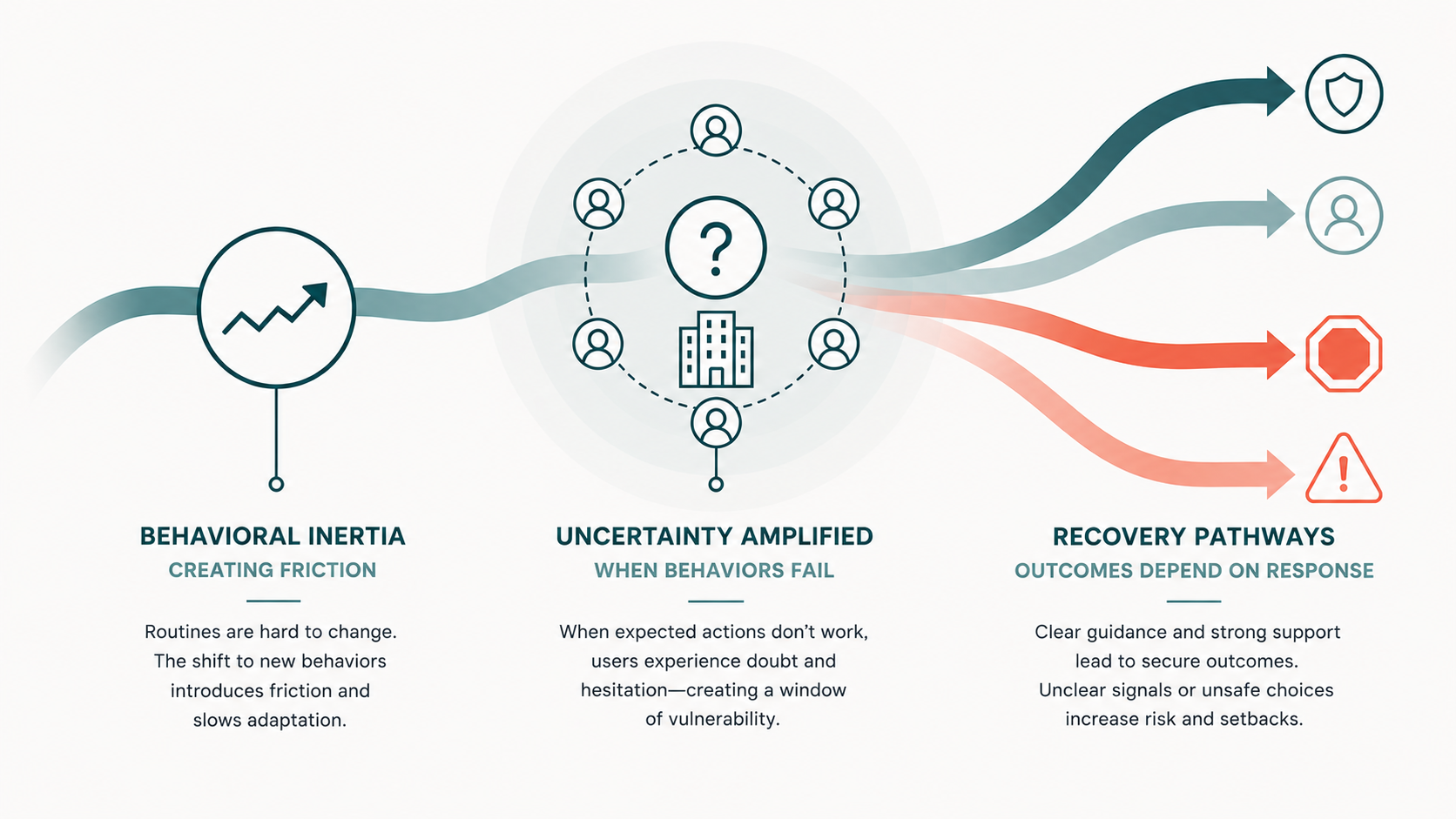
Although all technologies can be exploited given time, the real risk is in the transition from SMS to passkeys. The cognitive inertia associated with any routine creates friction as we shift from one approach to another, reducing response accuracy and increasing response time. That friction creates uncertainty before new behavioral patterns harden. Although it might induce deliberation, users are also more susceptible. If the process is not clearly communicated and described to customers and employees, attackers can exploit this by providing their own version of certainty.
A population of uncertain users presents a prime target. In the numbers game of social engineering, there only need to be a few comply. And this need not be isolated to an organization. If a finance employee sees a LinkedIn post about Microsoft’s passkey migration, this can be treated as powerful social proof. They might forget the sources and context of their knowledge, and assume it’s more likely to follow. Fake migration emails, spoofed "update your security" prompts, and phishing pages mimicking the passkey seamlessly fit into this workflow. The language Microsoft uses in its own prompts ("Sign in faster") lays the foundations of a mental model attackers can exploit: an authoritative request promising faster, easier access. The combination of authority and reduced mental workload are irresistible.
Microsoft's change applies to personal accounts, but the boundary between personal and professional identity is porous. Employees often use personal Microsoft accounts on work devices, and general lessons can be applied elsewhere. A phishing campaign themed around "Microsoft account migration" does not need to specify which account it targets. The same mental models and response patterns are at play.
This suggests a few courses of action:
Map out where transition friction will concentrate
Some groups are more habituated to compliance-driven workflows than others. Help desks, finance teams, and customer support departments process high volumes of authentication and verification requests daily. These are the groups where automatic compliance is most deeply practiced, and where a spoofed migration prompt is most likely to succeed without deliberation. Identifying these populations before the transition window opens gives security teams a head start.
Anticipate account recovery as an attack surface
During any large-scale migrations, lockouts will spike. Recovery pathways will be required for users who lose passkeys through broken phone, factory reset, or simply forgetting their PIN. These paths provide the weakest opportunities for authentication because the system must verify identity without the primary credential.
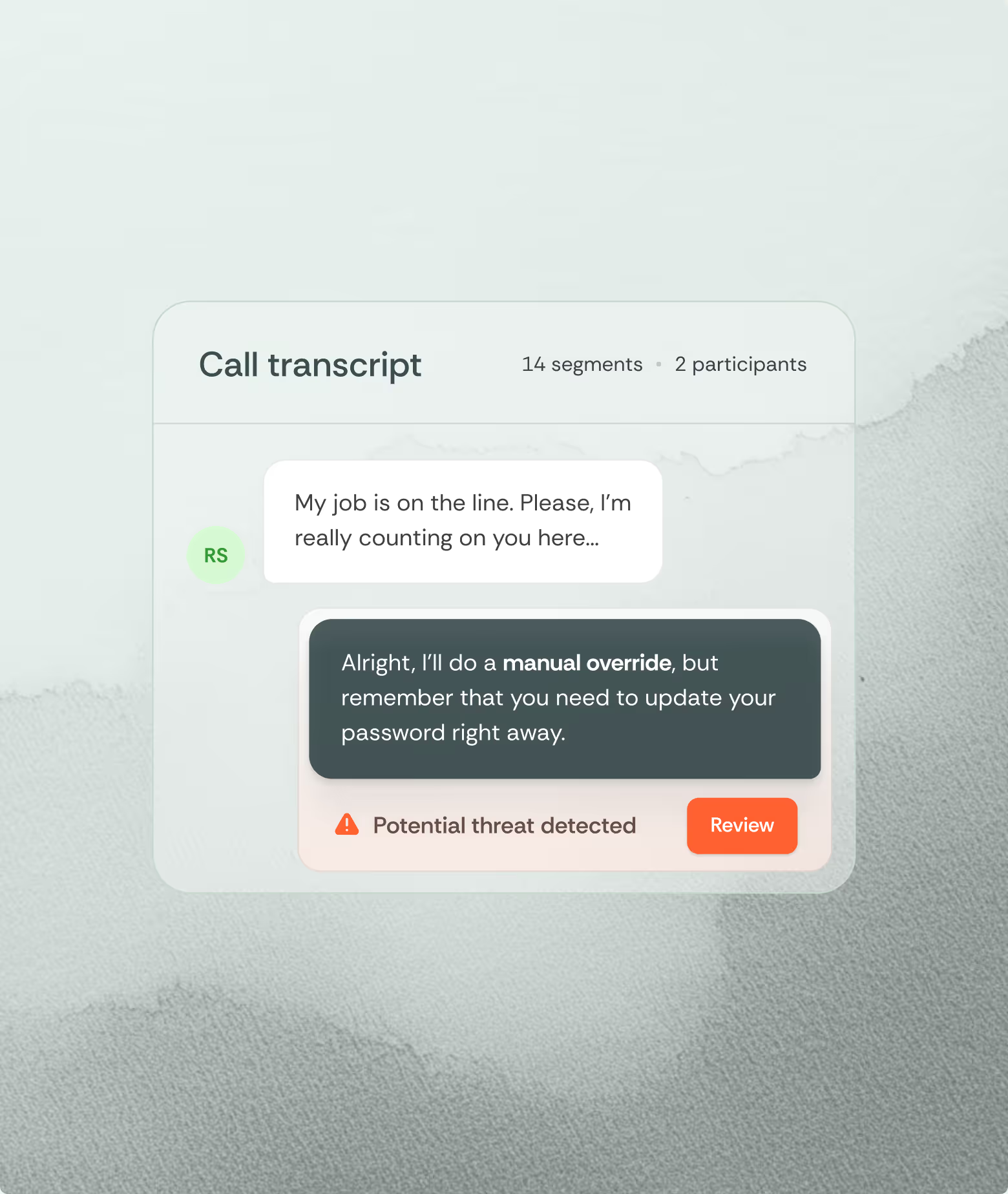
Locked-out user cannot follow a routine: it is a rare, novel event. With their workflows disrupted and KPIs at the forefront of their minds, they are highly motivated to regain access and will lower their scrutiny. Microsoft's own recovery form can take up to three business days rather than the instant SMS reset users are accustomed to. That delay creates additional pressure and more impatience that can be exploited.
Fake "account recovery" pages, spoofed help desk calls offering to walk users through re-enrollment, and phishing emails titled "Your account has been locked" that arrive before the real help desk responds align with users’ expectations. Security teams should map and monitor the recovery flows available during the transition window. Identify which are spoofable, and communicate to users exactly how legitimate recovery will work and through which channels. This same information must be provided to help desk agents.
Develop a communication resiliency strategy
A single announcement that "we are moving to passkeys" will not suffice. Research on habit formation suggests that new behaviors are reinforced through repetition and reinforcement over time. If the communication stops before the new routine is stable, employees are left in the gap between the old script and the new one. This must be balanced with an awareness of the total volume of alerts employees already receive. Too many notices will divide attention and produce inattention.
Communication should continue through the transition window and describe what legitimate prompts will look like, what they will not look like, and what to do when something feels unfamiliar. Security teams must coordinate with other organizational units.
Monitor for adversarial campaigns before they reach employees
Defenders should assume that the transition will lead to phishing campaigns that exploit mental models associated with passkey enrollment, security upgrades, and account migration. Mitigation requires identification of the campaigns before they reach employees. Threat intelligence teams should watch for newly registered domains referencing these themes, and for phishing kit templates circulating on dark web fora. They should share this information with partner organizations and vendors.
Know the strength and weakness of your verification and authentication methods
Security is an iterative process: As social and technical systems evolve, security practices need to be updated to promote resilient workflows and recovery. Microsoft acknowledges that passkeys do not represent the endpoint of security. Organizations will always need fallback recovery methods, and those fallbacks will always be weaker than the primary credential. We must identify which fallbacks are active, which are spoofable, and how to monitor them.
Develop detection methods in the communication channels where social engineering occurs
When employees encounter an unfamiliar authentication flow, many will seek help. They will call the help desk, message colleagues on Teams or Slack, or respond to what appears to be an IT support email. These are the moments when social engineering is most likely to succeed, and they happen in channels that most organizations do not monitor for manipulation. Analyzing the language, context, and behavioral signals of these interactions, at the point of contact, before employees act on them, is what closes the gap that training alone cannot.
Effective cybersecurity requires situational awareness. This requires more than paying attention to phishing emails and suspicious links and attachments. It requires that organizations see the system of people and technology that define their perimeter and understand, plan for, and adapt to how they evolve over time. Security requires seeing the root cause of the threat before it has time to grow.
What is feature engineering
In practice, feature engineering is both science and a bit of witchcraft. It often involves both iteration and experimentation to uncover hidden patterns and relationships within the data. For instance, a data scientist might transform raw sales data into features such as average purchase value, purchase frequency, or customer lifetime value, which can significantly boost the performance of a churn prediction model. By thoughtfully engineering features, practitioners can provide machine learning models with the most informative inputs, ultimately leading to better accuracy and more robust predictions.
What’s more?
- Incorporate more and more data sources
- Feature engineering platform
What is data engineering
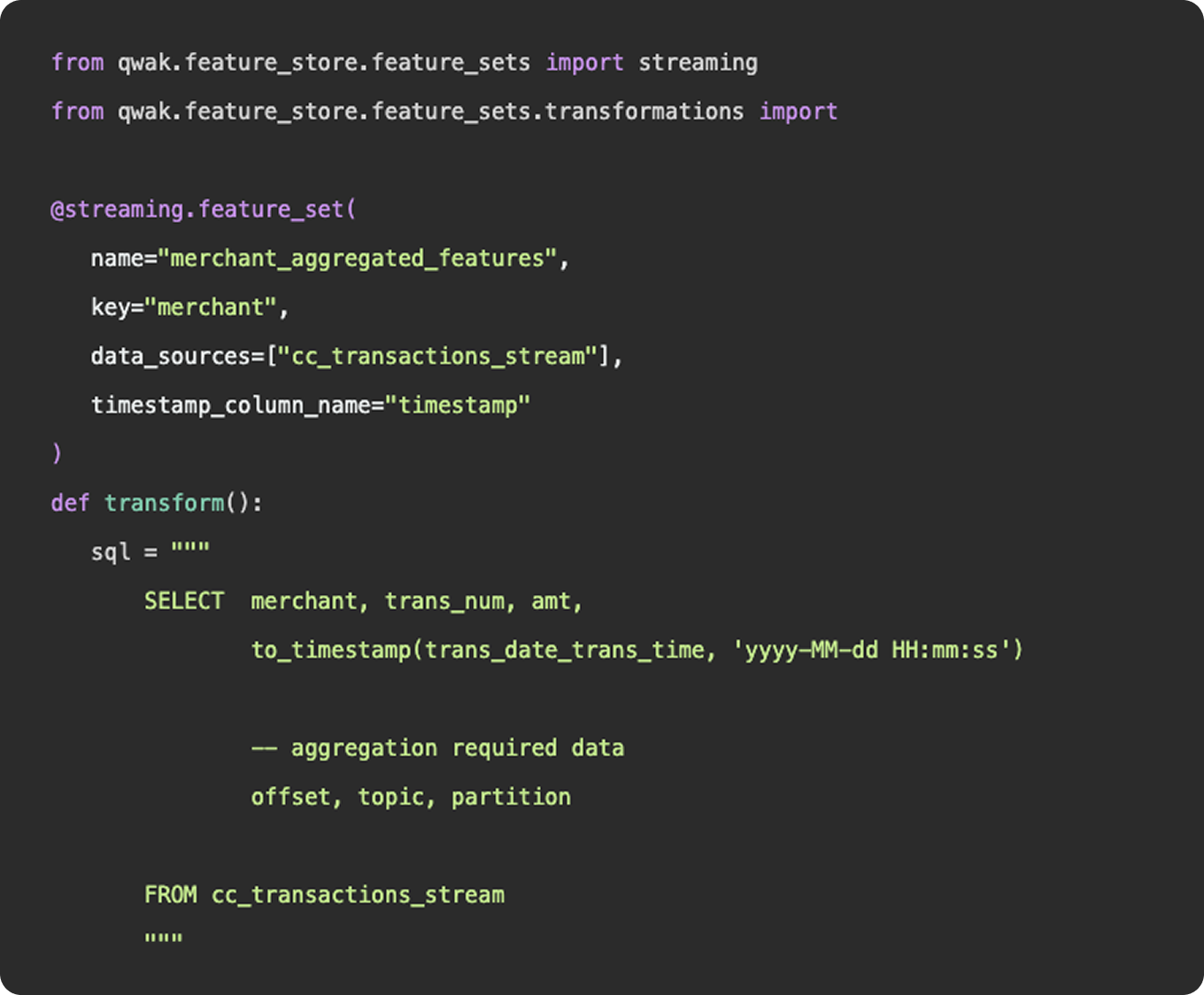
As we mentioned above, feature engineering is certainly a subset of data engineering. It involves the ingestion of data from a source, applying a series of transformations, and making the final result available to be queried by a model for training purposes. You can construct feature engineering pipelines to resemble data engineering pipelines, having schedules, specific source and sink destinations, and availability for querying. However, this configuration would only really apply once you have surpassed the experimentation stage and determined a need for a consistent flow of new feature data.
What is feature engineering
1. Functions
Functionally, there is nothing to differentiate data vs features - data points (link). Where feature engineering and data engineering really differ is in the objectives and motivations for constructing the pipelines. In general, data engineering serves a broader, more unified purpose than feature engineering. Data engineering platforms are constructed to be flexible and universal, ingesting various types and sources of data into a unified storage location where any number of transformations and use cases can be applied. The intent of a well constructed fact table or gold layer in a data lake is to provide a single source of truth that answers many different questions, produces many reports, and can be consumed by many downstream customers.
2. Practise
And in practice, an organization’s data engineering team will be responsible for the curation and maintenance of all data pipelines, not just those that relate to machine learning. These pipelines may power BI dashboards used by C-Suite, auditing reports that feed payroll, or event logs that show a user’s history of actions within the application.
Feature engineering, on the other hand, serves a specific purpose, finding the tailored inputs and columns that will generate the best predictive results for a machine learning model. Data scientists and machine learning engineers are not tasked with developing a universal data model that will ingest all data points throughout an organization, they just need to select, curate, and clean the data needed to power their models.
3. Machine learning
Now, as machine learning teams grow and begin to incorporate more and more data sources into their models, their feature engineering platform may start to resemble a larger data engineering platform in the tools and methodologies they employ. But, the intent is not to establish flexible data models that can be used throughout the organization - it is simply to power their machine learning models.